

Own the player relationship
Build a direct relationship with your players. Fuel personalization, loyalty, re-engagement, and long-term LTV. Give real value back to your players in return.

Grow your revenue
Higher margins on direct sales with your choice of payment provider configured by market. More revenue from owning and personalizing the player experience.

Simple and unified commerce experience
One catalog. One dashboard. Manage on-platform IAP and off-platform D2C together. Single SDK setup for a frictionless path to D2C revenue. Free, no-code webshop included.
How to get started with Unity IAP
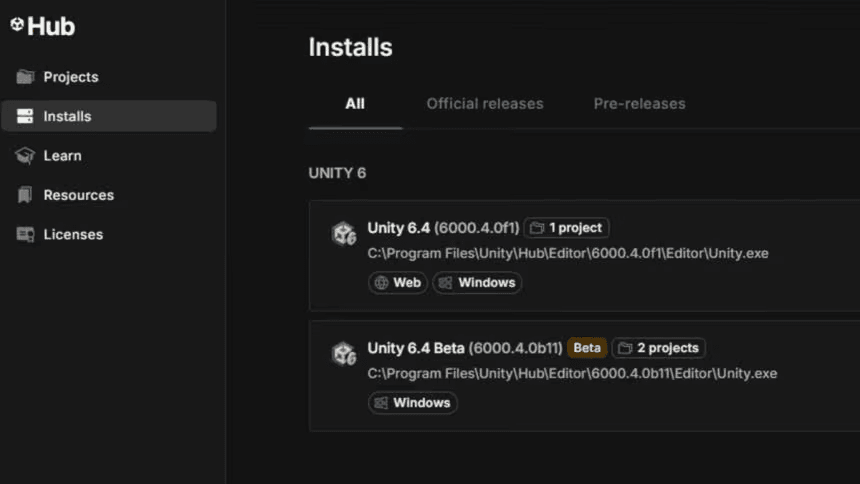
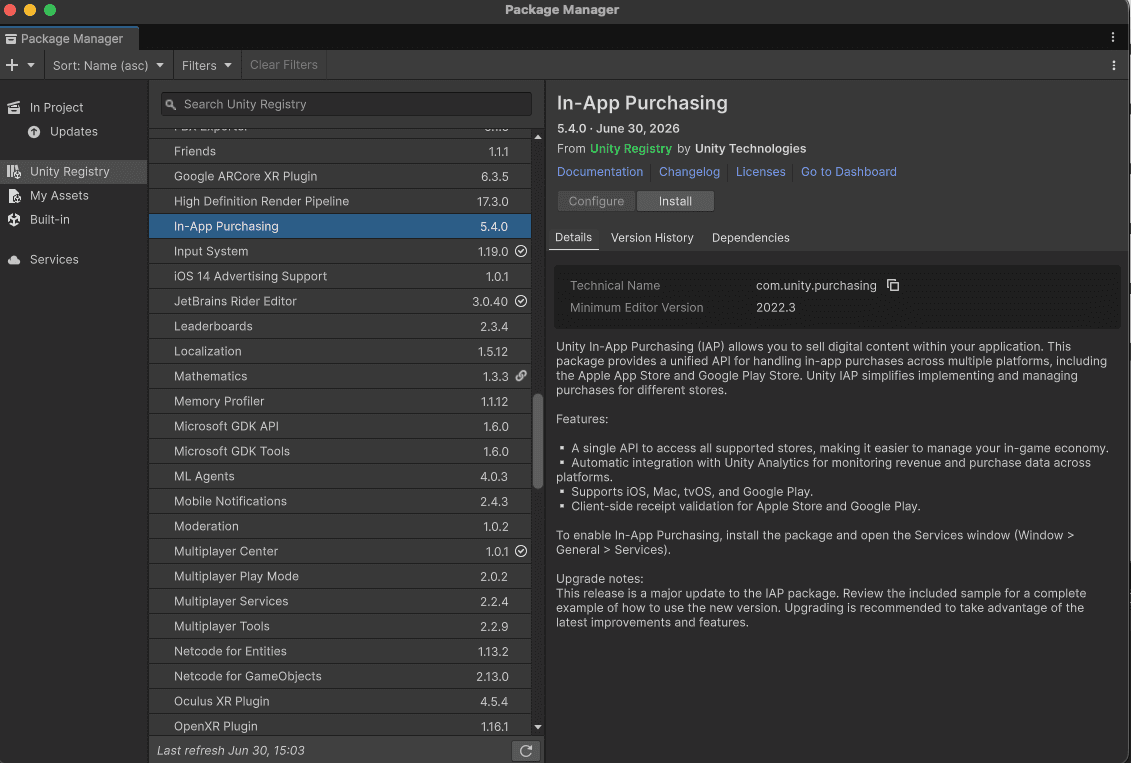
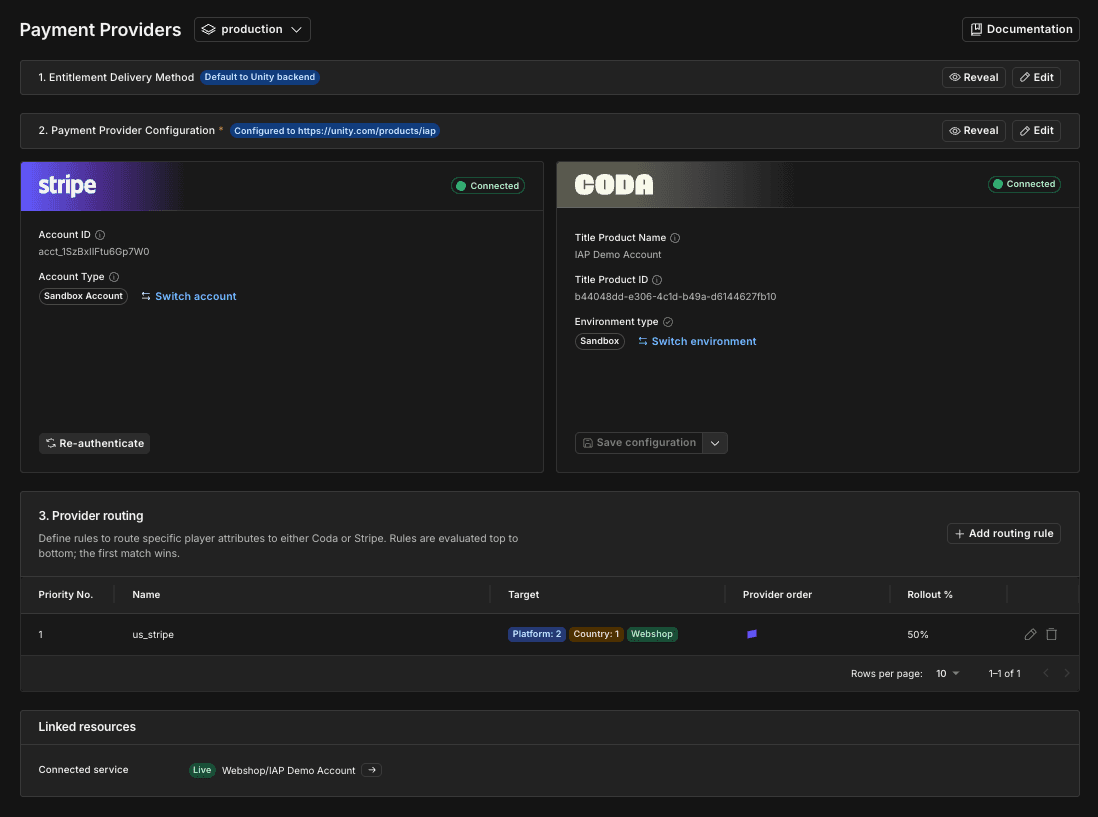

Frequently asked questions
Direct-to-consumer (D2C) in the game developer context allows games to sell digital goods, in-game currency, and subscriptions directly to their players on the web rather than relying entirely on native app stores.
Unity In-App Purchase (IAP) SDK historically provided a unified system for implementing and managing in-app purchases across the native app stores. Unity IAP abstracts the payment flows for developers, handling transactions and integrations with the native app stores. Now, Unity IAP 5.4+ moves beyond managing just the native app store transactions and unlocks off-platform D2C commerce to sell directly to players routed through in-game web payments and a free, no-code webshop.
You can now use your own AI tool of choice to plan and execute your upgrade to Unity IAP 5 using our new AI skill. Additionally, you can review the detailed documentation to upgrade from Unity IAP 4 to Unity IAP 5.
After completing Steps 1-3 in the “How to get started with Unity IAP” section above, you will set up and configure your webshop in the Unity Dashboard. This is where your game uses that project's IAP products, payment providers, environments, and access controls. Check out the Introduction to Webshops documentation.
Platform support will depend on the supported platforms of the payment providers. At the general availability (GA) launch of D2C Commerce with IAP 5.4, coverage will include mobile and web. Console is not supported due to its closed ecosystem, though we will explore potential support in the future.
Yes, Unity is actively working on signing additional partners (including Stash as our newest partner to the payment ecosystem) to offer a deeper portfolio of providers. If you are using a specific or regional partner, please reach out to your Unity client partner.