Graphics in Unity

One pipeline for 2D and 3D. Create without code, bring AI into both your art workflows and runtime, and deliver modern graphics across every platform.

Hero image

Light worlds that change.
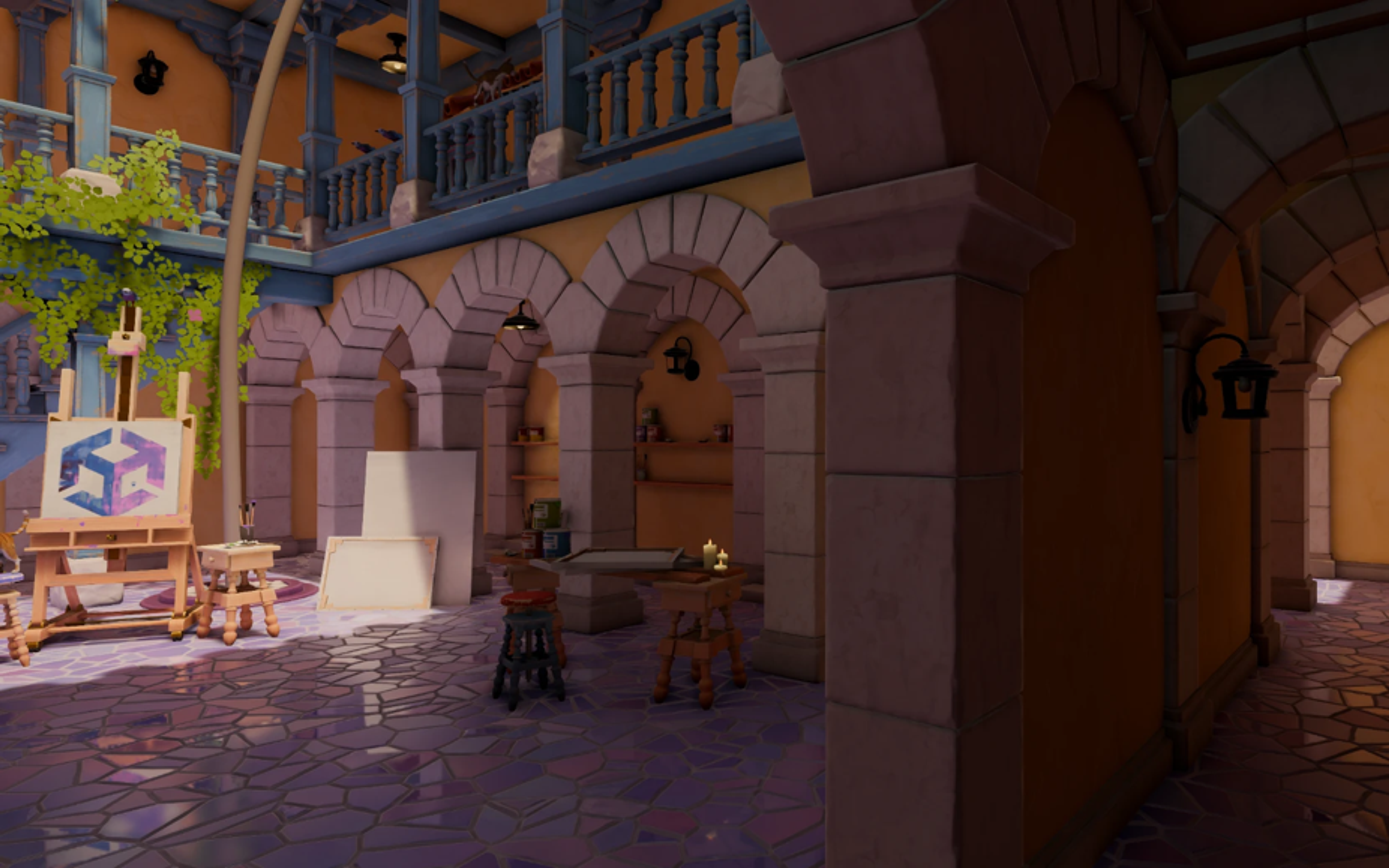
Create scenes with lighting that can evolve in real time. Surface Cache GI delivers fully dynamic indirect lighting without the wait of a lightmap bake. Adaptive Probe Volumes stream probe-based global illumination for large, open worlds, while screen space reflections add convincing detail where it matters.

Author without code.
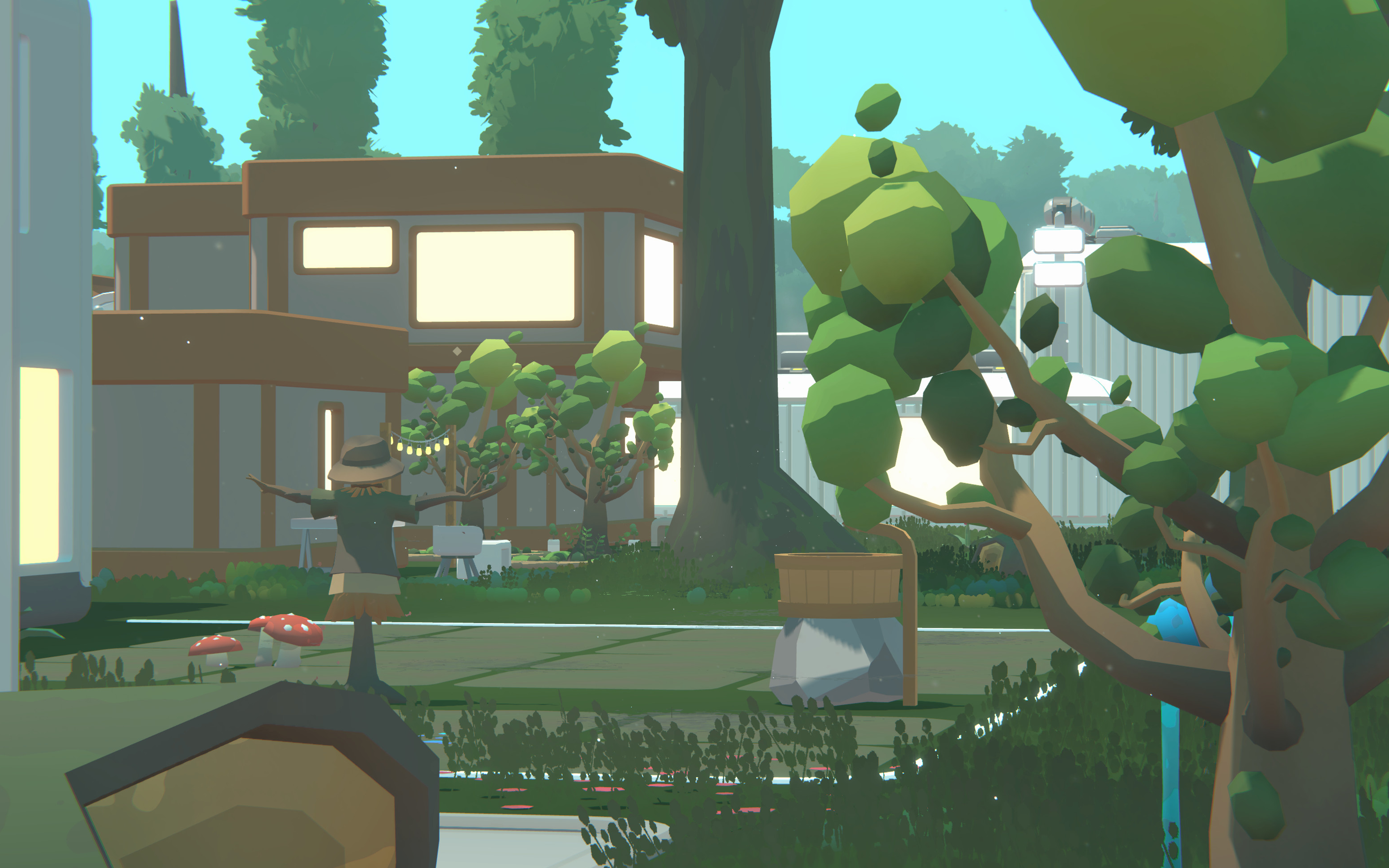
Build materials in Shader Graph and GPU effects in VFX Graph using visual workflows that keep artists moving. With live preview, reusable subgraphs, and HLSL support when you need more control, teams can ship polished visuals without depending on engineering for every iteration.

2D and 3D, both first-class.
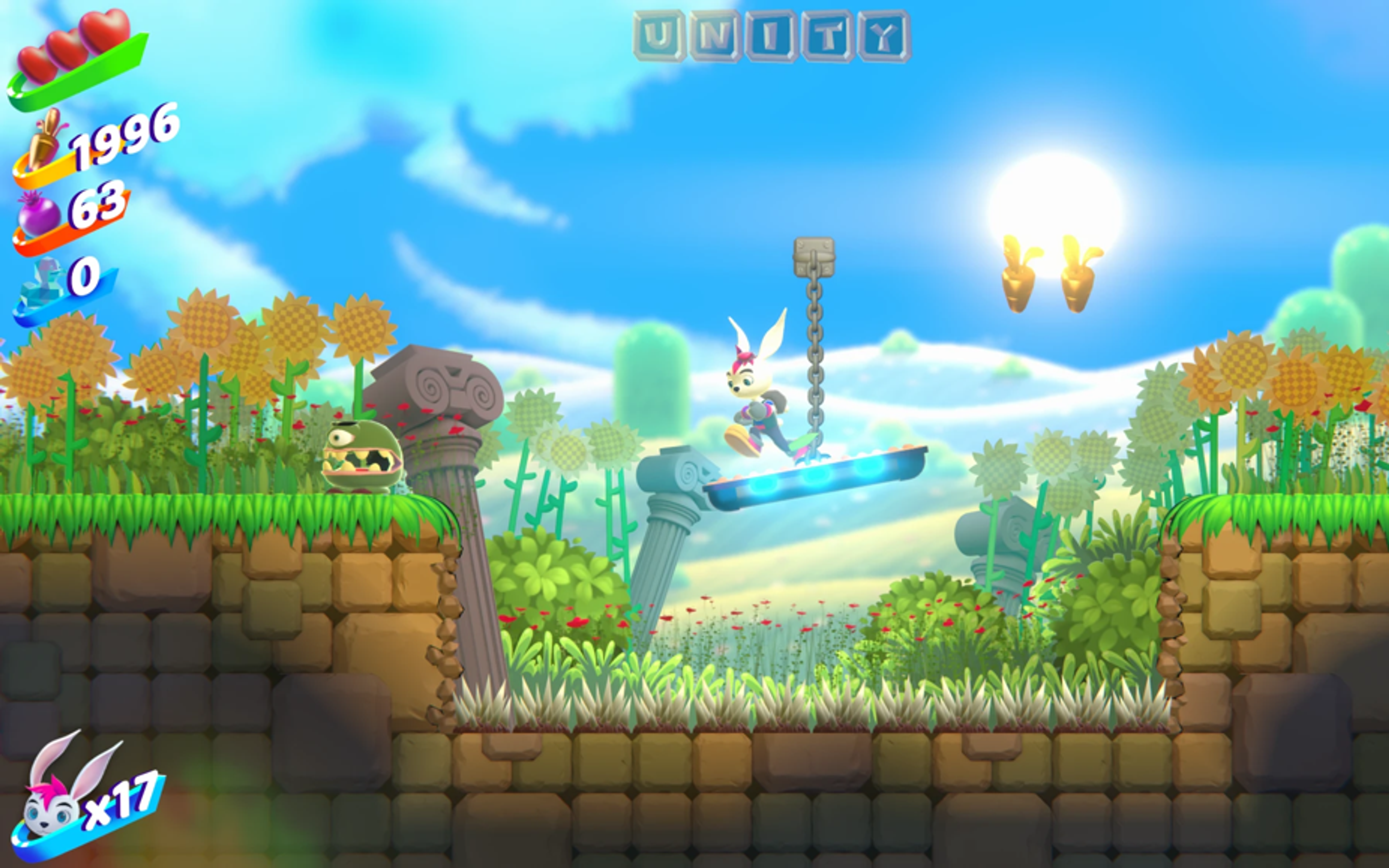
Unity gives 2D and 3D creators the same modern rendering foundation. Build 2D games with lit sprites, sprite shadows, and shared tools like Shader Graph and VFX 2D Graph, then scale from pixel-art mobile experiences to 4K console projects in the same pipeline.

AI that works with your intent.
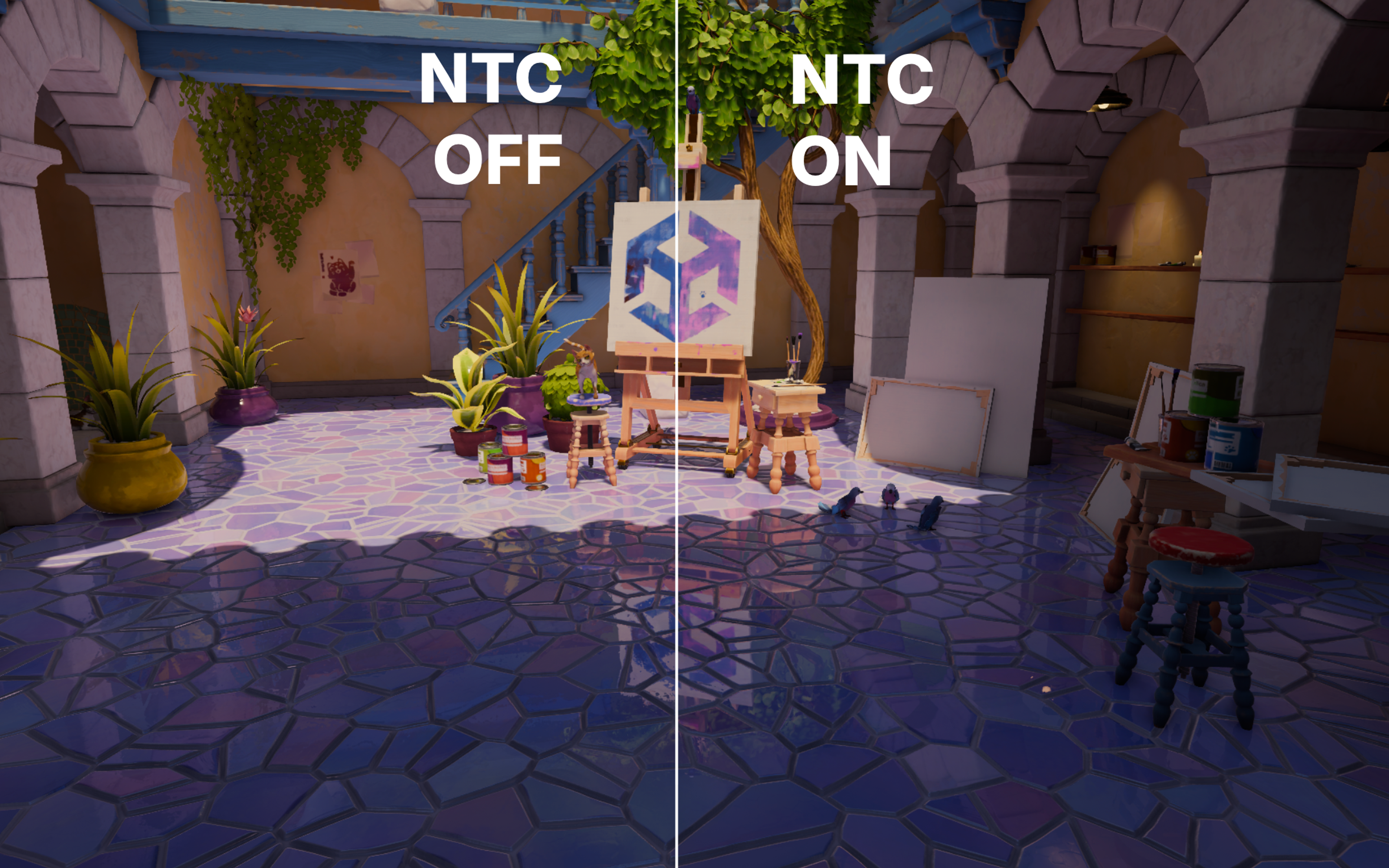
Bring AI into your process to explore ideas faster, generate starting points for textures, sprites, and animations, and keep moving inside Unity. You stay in control of the look, feel, and final result, while AI helps accelerate iteration in the Editor and power experiences at runtime.

Universal Render Pipeline

One pipeline for every kind of game. Choose the rendering path that fits your project, author visually, and extend the renderer where you need more control.

Forward

A strong choice for stylized projects, mobile-first games, and scenes with fewer dynamic lights.

Forward+

Supports many lights while maintaining broad platform compatibility.

Deferred

Designed for dense lighting scenarios on PC and console.

Deferred+

Combines deferred rendering quality with clustered light culling for more scalable performance.

Physically based foundation

Build on a rendering model that stays predictable from material authoring to final display output, across cameras, scenes, and platforms.

PBR materials

Use a GGX-based Lit shader with both metallic and specular workflows, plus Complex Lit support for surfaces like clear coat.

Physical light units

Work in lumens, lux, and EV using the same measurement language as cinematography and real-world lighting.

Auto exposure

Let the camera adapt naturally to scene brightness, like a real lens, without requiring constant per-shot tuning.

Linear HDR & tone mapping

Work in linear color space and map to ACES, AgX or custom curves for reliable HDR-ready output.

Neural graphics & AI tooling

Neural graphics and AI tooling in Unity help you move faster in the Editor and bring neural networks to your players at runtime.

AI tooling

Get project-aware help for shaders, scripts, and Editor workflows in plain English.

Generators

Turn prompts into textures, sprites, and animations, then shape them to fit your style.

Unity Sentis

Run ONNX neural networks on-device with GPU acceleration across platforms.

Upscaling

Improve quality and performance with modern upscalers.

Neural texture compression (coming soon)

Compress textures with machine learning to reduce texture memory usage.

Lighting

Shape lighting the way your game needs it—real-time, baked, or a mix of both. Unity supports reflection probes, light probes, Adaptive Probe Volumes, and dynamic global illumination in the same workflow.

Real-time lights & shadows

Use directional, point, and spot lights with cascaded soft shadows for responsive scene lighting.

Baked & probe lighting

Combine lightmaps, reflection probes, and Adaptive Probe Volumes, with automatic placement and streaming support for open worlds.

Fully dynamic GI

Surface Cache GI updates indirect diffuse lighting at runtime, so scenes can change without a bake.

Screen space reflections

Add believable reflections across a wide range of materials, with probe fallback when needed.

Camera & post processing

Create a polished final image with post-processing that scales across platforms. Effects are volume-driven and can be tuned per platform or scene.

Volume framework

Layer lighting and post-processing overrides spatially, then blend smoothly between zones.Layer lighting and post-processing overrides spatially, then blend smoothly between zones.

Built-in effects

Use bloom, depth of field, motion blur, color grading, vignette, lens distortion, and more out of the box.

Anti-aliasing

Choose from FXAA, SMAA, TAA, and MSAA based on the image quality and performance profile you want.

HDR output

Map tone curves and color grading confidently to HDR displays.

Compositing

Combine your scene, UI, and overlays into one final image, with full control over how post-processing is applied.

2D rendering

2D in Unity rendering gives you a full-featured workflow designed around 2D. Bring any style to life, from pixel art to high-fidelity visuals, with lighting, effects, and Shader Graph in a single pipeline.

2D Renderer Components

SpriteRenderer, TilemapRenderer and SpriteShape Renderers to draw sprites, tiles and spline-based shapes.

Draw order

Sorting Layers, Sorting Groups and Custom-Axis Sorting control draw order, and Sprite Masks hide or reveal pixels.

2D Lighting

Set the mood with 2D Lights, Shadow Caster 2D, normal and mask maps.

Shaders and 3D integration

Build Sprite Shader Graphs to customize 2D visuals and enable 3D-as-2D to blend in 3D objects.

2D Renderer Asset

URP comes with a dedicated 2D Renderer that’s extensible with custom passes at 2D injection points.

Pixel Perfect Camera

The Pixel Perfect Camera keeps pixel art crisp and stable at any resolution.

Shader Graph

Build materials without writing shaders. Shader Graph is Unity’s node-based material authoring tool for URP, combining visual workflows with the flexibility teams need as projects grow.

Live preview

See material changes in the Editor and directly in the scene while you work.

Subgraphs

Package logic into reusable building blocks you can share across projects and version like code.

Custom Lighting

Create stylized lighting models, starting from the included custom lighting samples.

HLSL when you need it

Drop into custom function nodes or expose HLSL functions as graph nodes for the wider team.

Templates

Start from a standard template or turn any Shader Graph asset into a studio-ready starting point.

VFX Graph

GPU effects at scale. Author effects with millions of particles running directly on the GPU, with simulation, physics, and rendering in one visual workflow.

GPU simulation

Simulate massive particle counts on the GPU and keep CPU time free for gameplay systems.

Node-based authoring

Build effects visually using a workflow that feels consistent with Shader Graph.

Different types of outputs

Render particles as quads, meshes, particle strips, or projected decals depending on the effect you need.

Lit particles

Light particles like any other URP surface, with shadows, GI, and reflections included.

Scene-aware collisions

Make particles collide with depth buffers, signed distance fields, and simple shapes without custom scripting.

Performance

Get more frames with less overhead. Unity’s graphics stack is designed to keep work on the GPU, reduce CPU cost, and scale efficiently across modern APIs including Vulkan, Metal, DX12, and WebGPU.

SRP Batcher

Cut the CPU cost of draw calls that share a shader variant.

GPU Resident Drawer

Push instancing work to the GPU for crowds, fleets, and other dense scenes.

DLSS, FSR, STP

Render at lower internal resolution and present a sharper final image through one upscaling framework.

On-tile post-processing

Get HDR rendering with tone mapping, color grading, and vignette on mobile and XR, without the memory bandwidth cost.

PSO warmup

Trace and pre-warm shader pipelines to reduce first-play stutter.

One project, every modern platform

Ship across mobile, desktop, console, web, and XR from the same rendering pipeline.

Shader Build Settings

Configure the shader compiler and build projects much faster using a new fast build mode.

Extensibility

Take control where your project needs it. Hook into the renderer, customize the pipeline, and inspect the source when you want to go deeper.

Renderer Features

Add effects like decals, ambient occlusion, or full-screen Shader Graph effects to the renderer.

Render Graph

Write custom passes that automatically benefit from optimized memory and resource management.

Custom post-processing

Author your own Volume components and shaders alongside Unity’s built-in effects.

Open source

URP source is available on GitHub, so teams can inspect, modify, and extend the pipeline directly.

Graphics Demos and Samples

Real games. Real platforms. The fastest way to evaluate URP is to open a project and see it running.

Atrio Courtyard

Dynamic lighting with Surface Cache GI, Screen Space Reflections and GTAO.

URP 3D Sample

Explore Forward+, decals, Shader Graph, and post-processing across mobile, console, PC, and VR.

Time Ghost: Character

See ML cloth running on-device in URP.

Fantasy Kingdom

Explore Adaptive Probe Volumes, GPU Resident Drawer, and SpeedTree 10 across mobile and PC.

Happy Harvest

See URP 2D in action with lights, sprite shadows, post-processing, and animation.

Create in Universal Render Pipeline

The Built-In Render Pipeline and High-Definition Render Pipelines are winding down, read more about Unity’s path to a single render pipeline in Unity 7 - Graphics Product Updates.
Discuss in the community