Game design for beginners: How to plan and build your first game

Oct 30, 2026

Unity Team - Unity Technologies

Game designGraphics
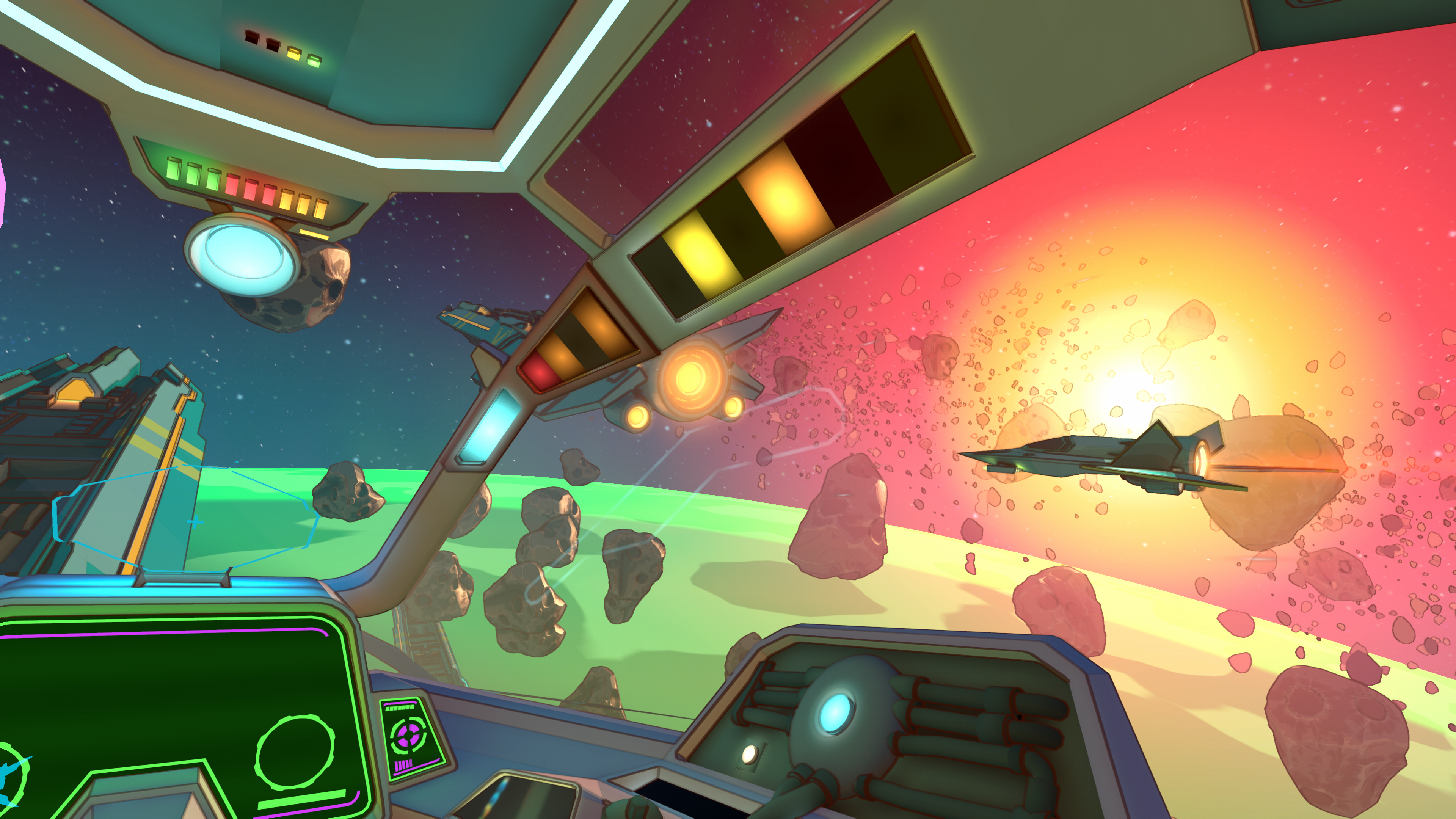
First-person view from inside a stylized spaceship cockpit, looking out through angled window frames. Outside, two sleek fighter ships fly through a field of drifting asteroids, with glowing engines. A bright yellow-orange sun lights the pink and red sky on the right, and a green planet curves along the horizon. The cockpit has colored indicator lights overhead, glowing panels, and green holographic screens on the dashboard. A thin blue outline traces a flight path toward the ships.

Game design is the process of deciding how a video game plays: its core loop, visual style, levels, camera, interface, enemies, and what it means to win. Our beginner guides cover one decision each, with practical examples and a short set of questions to answer before you build. No coding or technical experience needed.

Ready to start? Unity Spark is a browser-based game maker from Unity. Start with prompts, build with artist-created assets from the Unity Asset Store, and refine your game in a web editor without writing code. It’s heading into closed beta, and the waitlist is open now.

Learn more about Unity Spark
Preproduction

Planning your game

Decide what your game is, how it should feel, and how big it should be – before you build anything. These guides help you pin down your video game idea and fit your plan on a single page.

Start with a feeling: How to define your first video game

Name the feeling and the fantasy first, then turn them into one sentence and three design pillars that guide every choice as you build your game.

Set the mood
One orange character makes the same jump three ways: calm at dusk, scared in a storm, amazed by an aurora. Image generated by Claude Opus 5.5, October 26, 2026.

Jump, match, build, or explore? How to find your core game loop

Jump, match, build, or explore? Learn how to find your core game loop – the one action players repeat – and use genre to shape the rest of your game.

Define your game loop
Orange character in four game scenes – jumping, matching, exploring, and building – arranged around a loop arrow. Image generated by Claude Opus 5.5, October 23, 2026.

How much story does your video game need?

From zero words to a full script: find where your game sits on the story spectrum and what each level asks you to plan.

An orange character leaps between three floating islands holding more and more story: coins, a glowing note, and a castle. Image generated by Claude Opus 5.5, October 26, 2026.

Finding a visual style for your video game: pixel art, low-poly, hand-drawn and more

A beginner's guide to video game art styles, suggested use cases, and five habits for keeping your game's look consistent.

Choose your style
The same cube is drawn three ways (pixel art, flat-shaded and wireframe), positioned above a row of palette swatches. Image generated by Claude Opus 5.5, October 7, 2026.

Accessibility basics: How to make your video game more accessible

Learn the basics of video game accessibility: where to start, simple solutions for hearing, vision, motor, and cognitive needs, and why you should start thinking about this early.

Design for inclusivity
A settings panel open next to a small game screen. Settings panel: Five common options, each with a simple icon – contrast, text size, subtitles, button remapping, and audio – set with sliders and switches. Game screen: The subtitles setting is turned on and glows, and subtitles appear on the screen to match. The three collectibles differ by shape and color, so color isn’t the only cue. A small set of sound waves in the corner stands for showing sounds visually. Image generated by Claude Opus 5.5 on October 8, 2026.

Start simple: A one-page design document for your first game

Set limits, cut features, and plan your whole game on a single page with a free one-page template.

Write up a plan
An abstract representation of a blank game design document superimposed on a blue and orange blurred background. Image generated by Claude Opus 5.5, October 7, 2026.
Production

Get building

Shape what players see, where they go, and what they face. These guides cover cameras, levels, terrain, enemies, and the interface that connects players to it all.

Level design basics: Guiding players without telling them

Use light, color, landmarks, and leading lines to guide players through your levels, then test whether they go where you expect.

Start worldbuilding
Stepped platforms with a dotted path from a start marker to a goal flag, plus a couple of collectibles. Image generated by Claude Opus 5.5, October 7, 2026.

How does terrain work in video games?

How tiles, heightmaps, voxels, and noise create the ground players walk on, plus principles for terrain that’s fun to explore.

Find your footing
A glowing wireframe landscape of rolling hills and two tall peaks, set against a dark background with soft blue and orange light. The grid lines are blue in the low areas and turn orange on the highest peaks, showing how height can shape a game’s terrain. Image generated by Claude Opus 5.5, October 7, 2026.

Camera 101: How to choose your game’s perspective

Top-down, side-scrolling, first-person, and more: what each camera view does well and which kinds of games it suits.

Find your viewpoint
Three cameras viewing one cube from different angles. Image generated by Claude Opus 5.5, October 7, 2026.

How bosses and enemies decide what to do in video games

States, senses, telegraphed attacks, and boss phases, explained without code – plus how designers keep enemies fair and fun.

Tackle a boss fight
A loop of four states (patrol, investigate, alert, flee), with the alert state glowing. Image generated by Claude Opus 5.5, October 7, 2026.

Video game UX and UI basics: How games talk to players

What a HUD is, the four places interface can live, and a seven-step process for designing UI that stays out of the way.

More on UI
Abstract view of a game screen with a health bar, counters, a minimap, a menu with a cursor on the selected button, and a button prompt. The centre is left clear. Image generated by Claude Opus 5.5, October 7, 2026.
Postproduction

Add polish

Make your video game run smoothly and open it up to more players. These guides cover the details that turn a working project into an exciting experience that people want to keep playing.
Frame rate explained: What is fps in video games?

What frames per second means, why 30, 60, and 120 fps are common targets, and why a steady frame rate beats a fast one.

Unity Spark

Ready to build your first game?

Try Unity Spark, a new game maker from Unity that runs in your browser – no coding required. Join the waitlist to get early access as it heads into closed beta.

Learn more about Unity Spark

FAQ