

Supercharge your workflow with user-friendly features
Odin comes packed with features like the Static Inspector, Input Validation, Odin Editor Windows, and many more. The open source Odin Serializer lets you expand Unity’s serialization capabilities when you need polymorphic object structures, or want to serialize and deserialize data at runtime.

More than 100 attributes
With Odin’s 100+ high-quality attributes you can create powerful and user-friendly editors with little to no effort. You can even make editor windows using just attributes.
Odin Inspector is ready to use immediately after installing. There is no need to perform any tedious setup to start improving your editors.

Custom editor windows
Making editor windows can go a long way in streamlining the production workflow of a project. However, it can be difficult to maintain them as the project changes.
With Odin you can inherit from a single class and gain access to the powerful Odin drawing system in its entirety. No more worrying about how your windows are drawn.

Powerful real-time validation
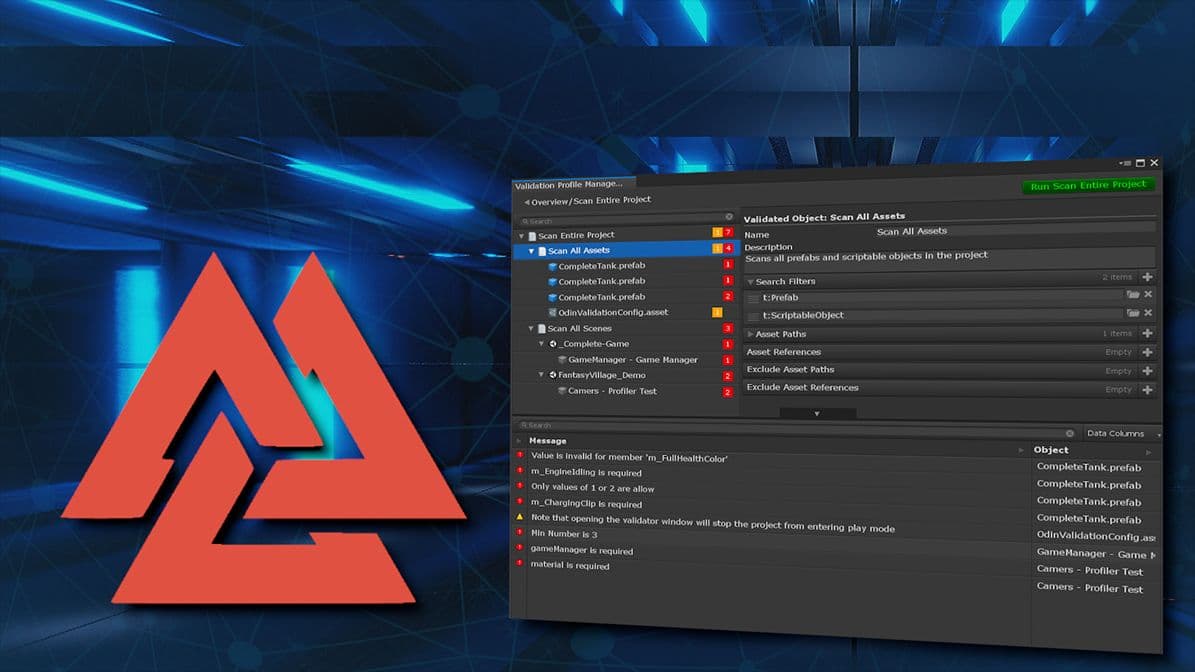
Odin Validator scans your project in real-time for issues and helps you fix them as they happen. It does only what you want, when you want it to and is fast enough to be a crucial tool in any project, whether small, large or enormous.
It is set up to work right out of the box, but is flexible, extendible and can be customized to specific needs in numerous ways.
““If I had to bring one tool with me to a deserted island it would be Odin. This Editor extension takes the Inspector to a whole new level. A must-have for any Unity programmer.” ”

Asbjørn Thirslund - Brackeys
FounderKey benefits
Save hundreds of hours
A single developer using Odin can create editors in a fraction of the time that it would traditionally take a whole team.
Quality-of-life upgrades
Installing Odin brings instant benefits, with better list drawing, improved enums and object fields, and countless more tweaks and changes.
User-friendly editor
Odin provides all the tools you need to effortlessly build user-friendly custom editors and windows the way you want them to be.
Effortless integration
Odin products are easy to install and designed to integrate effortlessly into a preexisting workflow, for minimal onboarding hassle.
Intuitive API
Because the easy way of doing things should also be the right way of doing things, all Odin APIs are intuitive to use and well documented.
Full source code access
If something doesn’t work as you expect it to, you can always look it up in the well-documented source code.
Learn how Odin can simplify development


Frequently asked questions
Odin Inspector is sold as a per-seat license, meaning you need a license for every person working with the Unity Editor on a project that includes Odin. This includes artists who work within Unity, even if they do not directly interact with tools built with Odin Inspector. Build farm servers and virtual machines (VMs) running Odin do not require extra seats.
If you cancel your subscription, you will stop receiving future updates for Odin after the paid-for year has passed, but you will still be able to download and use older versions of Odin that you had access to via your subscription; this includes older versions of add-ons included with your subscription.
With the Odin Personal license, you will receive all future updates to the base Odin Inspector product forever. With the Odin Enterprise license, you will continue receiving new updates as long as your subscription is active.
Yes! Odin Validator is included, giving you access to its entire suite of validation and workflow features.
Priority support happens through the Enterprise Support channel on Odin’s Discord server. To access it, you will need to first join the Discord server and then register your Discord user in the account settings on the Odin website. Doing so will automatically grant you access to the Discord priority support channel, and you’ll be able to access it immediately.
It also automatically applies to everyone you’ve assigned your Odin Enterprise licenses to within your team.
To avoid duplicate systems, priority support tickets are associated with Odin’s Teams feature. To use a ticket, assign the priority support ticket license to either an existing or a new team. That grants access to the team support page where anyone on the team can view and submit priority tickets.
If you or your organization has received revenue or funding of $200,000 USD or more in the last 12 months, you need to use an Odin Enterprise license.
Both editions feature the same Odin Inspector. However, the Odin Enterprise license includes Odin Source Code, the Odin Project Validator and all future plug-ins. Odin Enterprise license holders also receive a higher level of support and can add extra support services as needed.