Rules, states, and win conditions in video games: a guide

Unity Team - Unity Technologies
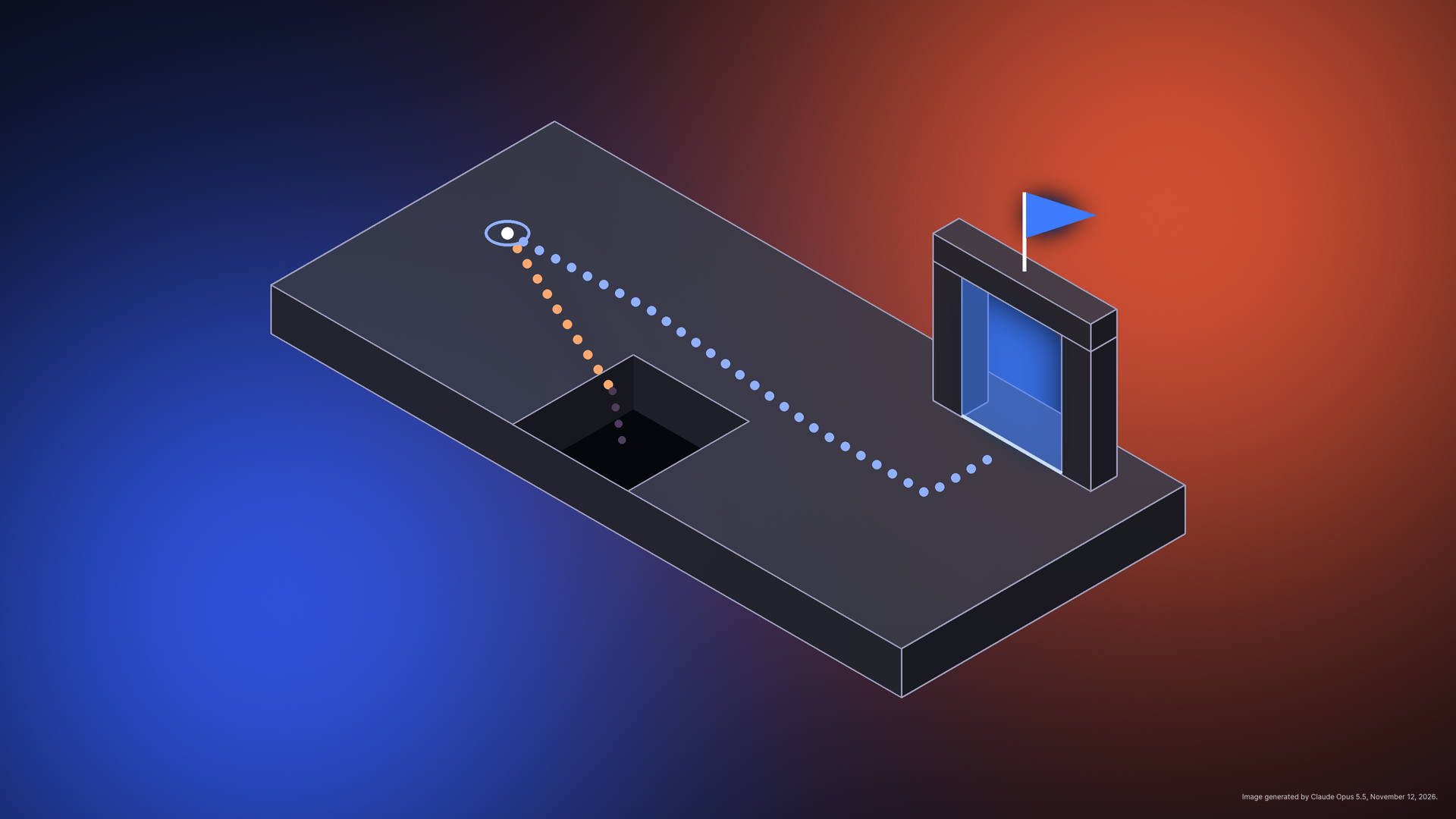
Learn how rules, game states, and win and lose conditions work in video games, with simple examples and a five-step method to define yours before you build.
Nearly every video game makes three promises to the player. It tells them what they can do, it remembers what has happened so far, and it decides when the game is over. Those promises have names: rules, states, and win and lose conditions.
You don’t need to write code to design them. You do need to decide on them. A game with great art and a vague answer to “How do I win?” will leave players confused. This guide explains each idea in plain language, shows how they fit together, and ends with a short method for defining them for your own game.
What are rules in a video game?
Rules define what players can and can’t do in a game, and what happens as a result of doing those things. Rules create structure and limits, which keeps the game consistent and fair. If your core game loop is the action players repeat, rules decide what that action can do and change.
A useful way to sort rules is by how each rule works. Setup rules cover what happens once, at the start. Progression rules cover what happens during play. Resolution rules cover what ends the game and how you decide the outcome. Some rules are automatic, such as a bonus timer that counts down every second. Others define the choices players can make and what those choices change, such as deciding whether to use a key on a locked shortcut, which opens a faster route but leaves one fewer key for the exit.
A simple two-player grid game shows all three. For example:
- Setup: Draw a grid and pick who goes first.
- Progression: On your turn, mark an empty square, then pass play to your opponent.
- Resolution: Three marks in a row wins, and a full board with no winner is a draw.
Here are a few more made-up examples demonstrating this idea in a video game context:
Good rules make the goal harder to reach
Most designers aim to make products as simple to use as possible. Games work the other way: once you’ve set a goal for the player, your job is to put obstacles in their way. If the goal takes no effort, winning has no thrill. If it’s too hard, the player never gets to win, which is frustrating.
Clarity matters just as much. When players spend time figuring out what they’re allowed to do, the confusion pulls them out of the game. Write rules so a new player can quickly determine what is and isn’t possible in your video game.
Unwritten rules still count
Players also bring assumptions based on what they’ve played previously. A common example in shooter-style games is spawn camping: waiting beside the spot where defeated players reappear and defeating them before they can react. Some players call that smart strategy. Others call it cheap. The rules allow it, so whether it’s fair depends on unwritten expectations.
The lesson is to define as many rules as you can, so players don’t argue about them or exploit gaps you didn’t see. Playtesting your video game is one of the best ways to find those gaps.
What is a game state?
A game state is the game’s current situation: where things are, what the score is, how much health is left, and which part of the game you’re in. Rules are what change the state.
Most games depend heavily on state. Character animations change depending on whether the player is walking, jumping, or standing. Enemy behavior can change depending on whether the enemy is chasing the player or fleeing from them. Players can change the game state at will by pausing, opening a menu, or loading a save file.
Most games share a few flow states
Think of the overall flow of your game as a small set of modes, with exactly one active at a time. A common set looks like this:
The player resumes
The player resumes
Beginner tutorials also treat these modes as a small set of named phases, with each phase handling its own screen. Gameplay updates belong only in the playing state, so nothing moves while a menu is open.
Many games add more states, such as a win screen, a level-complete screen, or a cutscene (a short clip breaking up gameplay and advancing a game’s progression or narrative). Add one whenever the game needs to behave differently for a while.
If you’re building without code, you’ll still make these decisions. What happens when the player pauses? What do they see when they lose? How fast can they try again? Drawing the states as boxes and arrows on paper is enough to answer these questions before you start building a user interface for your video game.
Win and lose conditions explained
Win and lose conditions are the rules that define how a player wins or loses the game, or at least a section or level. They are the resolution rules from earlier, and they give every other rule its purpose. We’ve included several examples of win and lose conditions below:
Securing a resource advantage
Securing a resource advantage
What makes a good game goal?
Players should never have to ask whether they’ve won. If they do, the goal is probably too vague. A good goal is also attractive: the act of reaching it should sound enjoyable. And it should be exact, even if the ways of reaching it are flexible. If you start by naming the feeling you want players to have, check that your goal serves it.
Goals can work on three time scales:
- Short-term goals are bite-sized and give quick feedback.
- Mid-term goals take longer but fit within a session or a few sessions.
- Long-term goals give the whole game a direction.
Objectives are the stepping stones between them. Some are required, some are optional, and some are timed. Time pressure adds tension, so use it carefully unless it’s central to your core loop.
Four questions to ask about every game ending
For each game, and each level, ask:
- How can the player win?
- How can the player lose?
- Can the game end in a draw, or get stuck so that neither is possible?
- What happens right after: what does the player see, and what can they do next?
The third question catches endings you didn’t plan for. In the grid example, you write the draw into the rules on purpose. An ending you didn’t plan for, like a level players can no longer finish, can leave players stuck with no way forward.
How to keep players invested in your game
First, players disengage once they believe they can’t win. A catch-up feature, such as a swing in luck or a bonus for those who are behind, gives players something to hope for.
Second, a game should push toward its own ending. Length is a common problem in first designs, and a game should end before players want to stop. In a video game, that might mean difficulty ramps up, a timer runs, or each level has a clear exit.
Putting it together
Imagine a one-screen game where you collect three keys and reach an exit while dodging moving hazards.
- Rules: You start with three lives. Touching a hazard costs a life. Collecting all three keys opens the exit.
- States: title screen, playing, paused, win, game over
- Win condition: Reach the open exit.
- Lose condition: Lose all three lives.
- After the ending: The win screen shows your time. The game over screen offers “Try again,” which returns to playing.
That’s a complete game structure in a few lines, and it’s the same structure a much larger game builds on.
How to define your game’s rules, states, and win conditions in five steps
Work through these five steps in order to define your game’s rules, states, and win conditions:
- Write the goal in one sentence. What is the player trying to do?
- List your rules in three groups: setup, progression, and resolution.
- Name your states and draw the arrows between them. Check that the player can always get from one to another.
- Write every ending: each way to win, each way to lose, and what happens next.
- Playtest and watch for the question “Did I win?” If a tester asks it, your goal or ending needs work.
If you’re working from our one-page game design plan, steps one through four map directly to its goal, win, and lose section.
A rules, states, and endings checklist
Consider checking your game against this list:
- I can state the goal in one sentence.
- My rules are sorted into setup, progression, and resolution.
- I’ve named each state and know how players move between them.
- I know every way to win and every way to lose.
- Players can tell when they have won or lost without a message telling them.
- My win and lose signals don’t rely on color or sound alone.
- Losing doesn’t leave players stuck: they know what to do next.
- I’ve watched at least three people play and noted where they were unsure what the rules allowed.
Decide the structure, then build on it
Rules tell players what they can do. States keep track of where the game is. Win and lose conditions tell players when it’s over. Define all three before you build, so the rest of your design – levels, enemies, and interface – sits on a solid foundation.
Ready to turn your plan into a video game? You don’t need to be a developer. Try Unity Spark, Unity’s browser-based, AI game creation platform that allows you to describe your game, refine it in a real web editor, and publish it for others to play.
Header image note: An isometric dark platform with a square pit and a gate. From a start ring, an orange dotted path drops into the pit, while a blue dotted path goes around it to the gate, which glows blue and has a flag on top. Image generated by Claude Opus 5.5, November 12, 2026.