Build your interactive 3D prototypes faster by customizing the Unity Studio templates
Unity Studio, Unity’s web-based editor for creating and sharing interactive 3D experiences, supports shared workflows for designers, technical artists, CAD/BIM specialists, engineers, training teams, and business stakeholders.
To help creators get started quickly with their prototyping, Unity Studio provides a set of six templates you can use as a foundation, adjusting and repurposing each of their pre-made elements for your specific needs.
On this page, you’ll get some quick-start tips from our Unity Studio template video tutorials that show you how to customize the Configurator and Car Review templates.
Key takeaways
- Don’t start your interactive 3D design review, digital twin, or training prototypes from scratch: Save time and effort by customizing one of the six templates included with Unity Studio:
- Car Review: For designers who need to present 3D models with various lighting scenarios and controls
- Configurator: Provides a setup for presenting product models, with interactive configuration options like material swapping and camera and lighting presets focused on a central asset to highlight finishes and details
- Oil Pump Blocker Demo: Demonstrates mechanical assembly, internal component relationships, and fluid dynamics
- Training Application: For prototyping step-by-step instructional guides for machinery operation or assembly tasks
- HMI Mockup: For prototyping automotive dashboards, industrial control panels, or any screen-based interface
- Distribution Center: Showcases real-world interaction patterns such as robot control, camera management, and dynamic environment navigation
- See how to swap out the default assets with your own in Unity Asset Manager, while keeping and adapting interactive features like cameras, lighting, and UI buttons.
- Once you’re ready, you can copy the draft’s URL and send it to multiple stakeholders who can review and comment in real-time. Teams can see live edits, cursors, cameras, selections, and Inspector activity as collaboration happens.
- Features like follow mode help reviewers and stakeholders look at the same part of a 3D scene during guided reviews.
- Real-time collaboration in Unity Studio can help reduce fragmented feedback, slower review cycles, and avoidable rework.
From a chair configurator to a car configurator
In this video you’ll see how to turn the Configurator template into a car configurator. The default version is designed as a furniture configurator, but all of its key features map to a car configurator.
- What comes out-of-the-box: an orbiting camera, a preset side view, a button that switches between design options, two buttons that let you change the materials of specific parts, and environment buttons that let you switch out the backdrop.
- See how to replace the stock assets in the template with your own using Unity Asset Manager.
- Orbit the car using the same camera setup.
- Swap the wheels using the design switch feature.
- Apply the same material buttons to change the body paint and car interior.
- Use the environment settings from the template to change the car’s backdrop.
Watch the video: Unity Studio Template: Build an interactive 3D configurator
From a car review to an architectural review
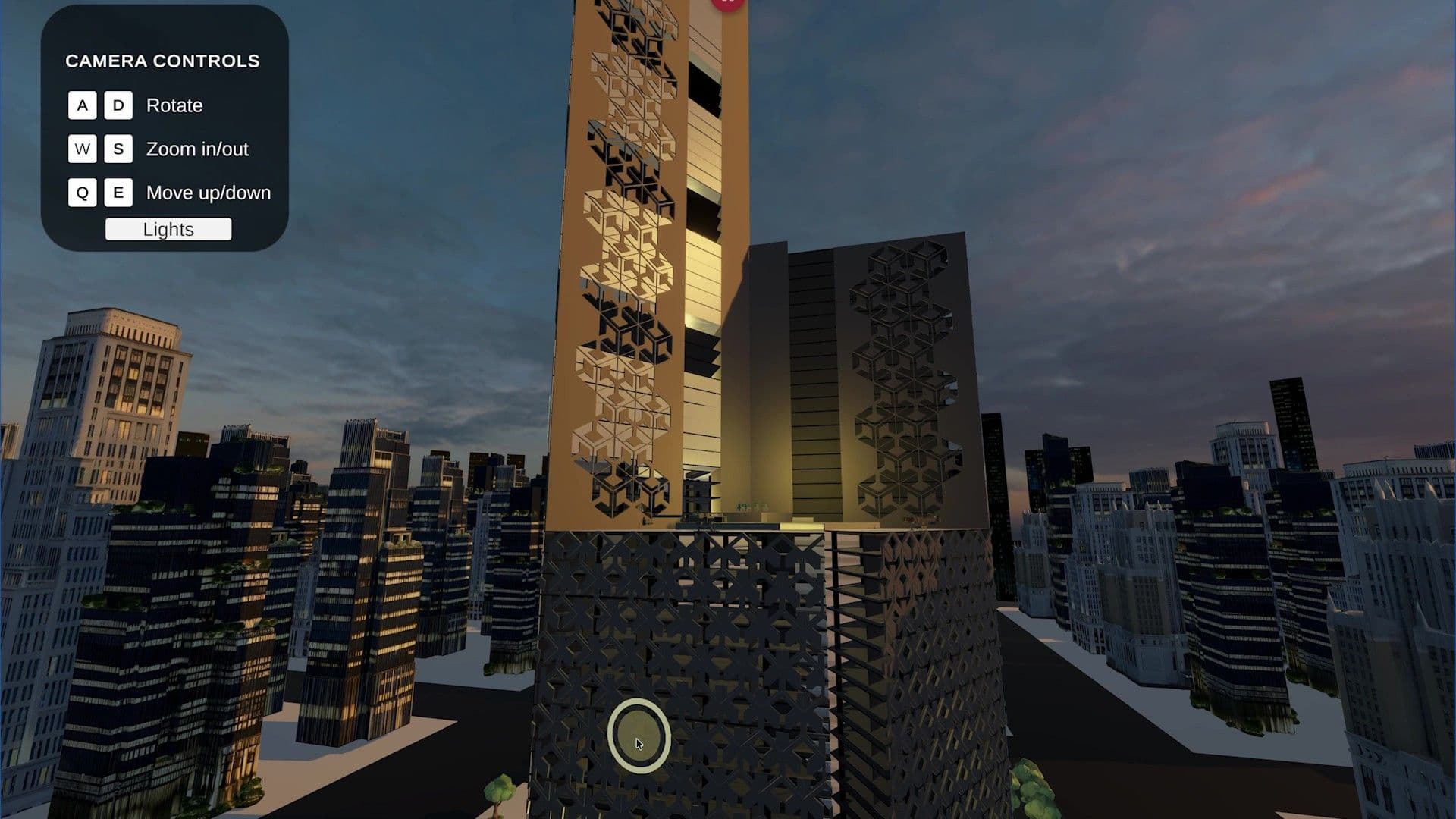
The design review tutorial shows you how to customize the Car Review template into a simple architectural review walk-through.
Features like the keyboard-driven camera navigation that always stays framed on a central point, and clickable hotspots that fire events when you interact with them, are applied to the architectural design review. On the built-in car model, for example, those clickable hotspots open doors and the hatch, but watch to see how this and other functionalities are repurposed for the building review.
The workflow starts with hiding the car asset and its background and importing the building asset and background environment from Unity Asset Manager. From there, you can follow the steps for how to:
- Set up the new assets and swap out the skybox for a sunset. Rotate the main light around to align it with the sunset.
- Change the built-in directional light to a point light to light the lobby. Then duplicate it to light the other floors.
- Use the same hotspot concept and add clickable points along the building.
- Build a simple UI for reviewers to change the lighting and other features.
Watch the video: Unity Studio template: Build a design review application
Real-time, collaborative stakeholder review in Unity Studio

Adding a comment in a Unity Studio web-based draft
With Unity Studio real-time collaboration features, you can share your web-based draft simultaneously with multiple stakeholders, allowing teams to collaborate in parallel. Changes like adding assets to the scene, changing material colors, or adjusting properties in the Inspector appear live.
Each collaborator has visibility into where teammates are working and what they are doing. You can see other users’ cursors in the scene, displayed with names, as well as their cameras and viewing direction, Hierarchy selections marked with a colored dot, and more.
Instead of handing work off between individuals or relying on static review cycles, teams can co-edit and review shared interactive 3D scenes live.
Real-time collaboration helps teams stay aligned earlier in the process without needing to save, refresh, or switch tools to see the latest changes.
Learn more about Unity Studio real-time collaboration in this blog post.
More resources: Unity Industry and Unity Studio
The Unity for Industry playlist
Unity, machine information systems, AI agents, and the industrial digital twin